

A stop loss protects one trade. It does nothing about ten trades that are each inside their stops while the account as a whole is down 4.8% on the day, a fraction away from a prop firm’s daily loss limit.
That gap is what an equity protection EA fills. It watches the account instead of individual positions, and when total equity falls to a level you set, it closes everything and stops further trading. Traders call it an equity guard, a drawdown limiter, or a kill switch. Prop firm traders treat it as essential, and anyone running a grid, a basket strategy, or several EAs at once should too.
There is one uncomfortable fact about every one of these tools: the logic lives in your terminal, not at your broker. If the terminal is not running at the moment the limit is crossed, nothing happens. This guide explains how equity protectors work, the ways they fail, and how to host one so it is there when it counts.
📊 Key Stat: Prop firm daily loss limits typically sit in the 3-5% range, and breaching one usually ends the account on the spot. An equity protector that is offline for ten minutes during a fast market provides exactly zero protection for those ten minutes.
What an Equity Protector Does
The EA runs on its own chart and does not open trades. On a loop, it compares the account’s current equity with one or more thresholds:
- Daily loss limit: equity has fallen a set amount or percentage below the day’s starting balance or equity.
- Maximum drawdown: equity has fallen below a fixed floor, or a set distance below the account’s high-water mark.
- Profit target: equity has reached a goal, used to lock in a passed challenge phase.
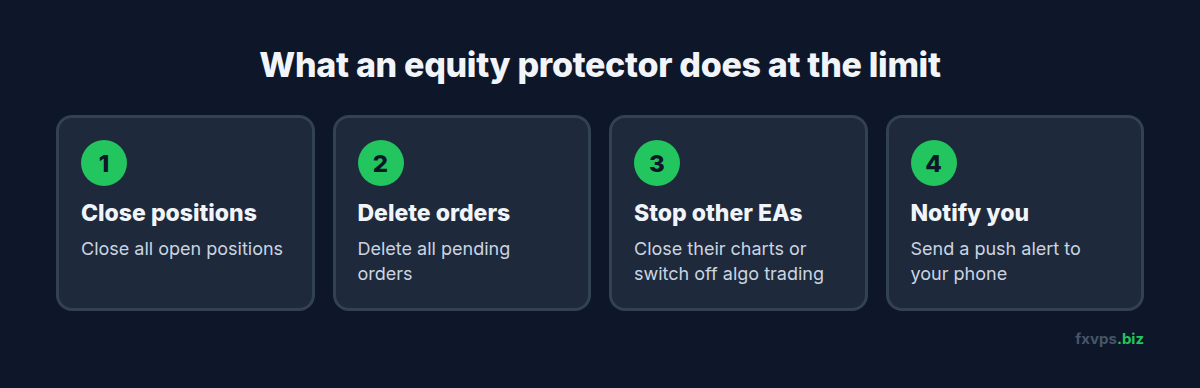
When a threshold is hit, a typical protector will:
- Close all open positions.
- Delete all pending orders.
- Stop other EAs from trading again, usually by closing their charts or switching off algorithmic trading for the terminal.
- Send a notification.
Why the Broker’s Server Cannot Do This for You
Stop loss and take profit levels are stored on the broker’s server and execute whether or not you are connected. An account-level rule such as “close everything if equity drops 4%” is not an order type in MT4 or MT5. It has to be calculated by a program watching the account, and that program is your EA in your terminal. Our article on what stops working when your MT4 terminal goes offline lists everything else in the same category.
The broker’s own stop-out level does act on the whole account, but it triggers at a margin level far beyond any sensible risk limit and far past any prop firm rule.
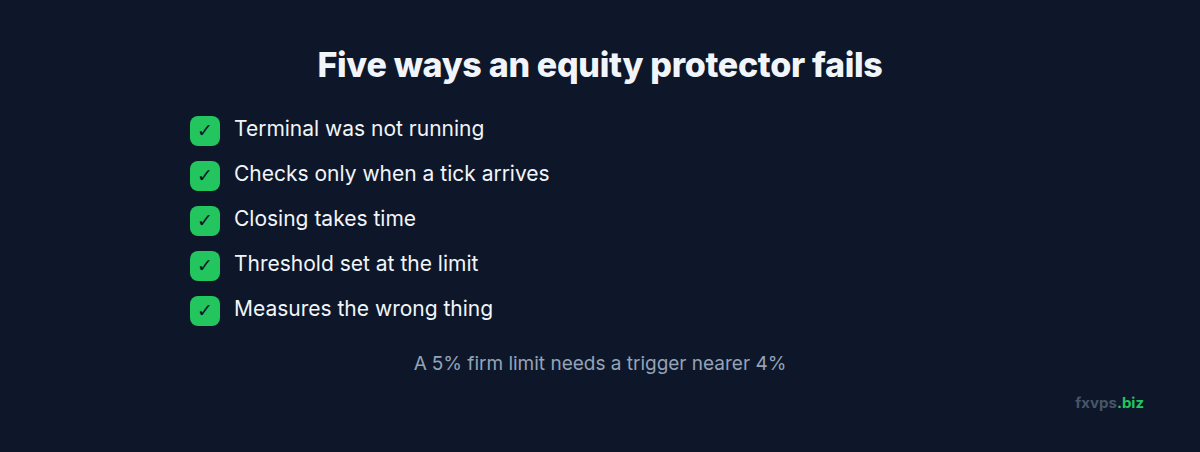
The Five Ways an Equity Protector Fails
1. The Terminal Was Not Running
A sleeping laptop, a Windows update that restarted the PC, a power cut, a dropped home connection. The positions carry on at the broker. The guard does not. This is the most common failure by a wide margin and the one a VPS exists to prevent.
2. It Only Checks When a Tick Arrives
Many simple EAs run their logic in the tick handler, which fires only when a new price arrives for the chart’s own symbol. If the protector sits on a quiet symbol while your losing positions are on a fast-moving one, checks can be seconds apart. A well-built protector uses a timer and checks on a fixed interval regardless of ticks. If yours has a setting for the check interval, it is timer-based. If you are unsure, attach it to the most liquid symbol you trade, such as EURUSD.
3. Closing Takes Time
“Close all” is not one instruction. Each position is a separate order sent to the broker and confirmed in turn. With thirty open positions and a slow connection, the last one closes noticeably later than the first, at a worse price. In a fast market, some close requests are rejected with requotes or “off quotes” and must be retried. See our list of MT4 and MT5 trade error codes.
Low latency shortens every one of those round trips. On a VPS a few milliseconds from the broker, a basket closes in a fraction of the time it takes from a home connection. See slippage, requotes, and VPS latency.
4. The Threshold Was Set at the Limit
If your firm’s daily limit is 5% and your protector is set to 5%, you will breach. The EA triggers at 5%, then closes at whatever prices the market offers a moment later, with spread and slippage on top. Equity at the end of the close-out is below where it was at the trigger.
5. It Measures the Wrong Thing
Prop firms differ in how they define the daily limit: from the day’s starting balance or starting equity, and at which hour the “day” resets. The reset is usually tied to the firm’s server time, not your local time. A protector configured for a midnight reset in your time zone can be hours out of step with the firm’s calculation. Our guide to daylight saving time and EA trading hours explains how server time shifts through the year.
⚠️ Warning: Read your firm’s rules for the exact definition of daily loss and maximum drawdown, including whether floating losses count and whether the drawdown trails. Configure the protector to match that definition exactly. A guard built on a different formula gives false comfort.
Setting One Up Properly
- Run it on a VPS, in the same terminal as the positions it protects. An equity protector can only close trades on the account its own terminal is logged in to.
- Give it its own chart. MetaTrader allows one EA per chart. Use a liquid symbol.
- Set thresholds with a buffer. For a 5% daily limit, a trigger around 4% leaves room for slippage during the close-out. Widen the buffer if you hold many positions or trade volatile instruments.
- Match the day reset to your firm’s server time. Check the Market Watch clock in the terminal and compare it with the firm’s stated reset hour.
- Enable algorithmic trading and any permissions the EA needs. Some protectors use a DLL to switch off the terminal’s algo trading button. See EA DLL imports and WebRequest permissions.
- Turn on notifications. A push alert to your phone when the guard fires tells you to log in and review. See MT4 and MT5 push notifications and monitoring.
- Save the profile and confirm auto-start. After a VPS reboot, the terminal must reopen with the protector attached. See the MetaTrader automatic startup guide.
- Test it on a demo account. Open several small positions, set the threshold just under the current equity, and watch what it does. Confirm that positions close, pending orders are deleted, and other EAs stop.
💡 Tip: Test the restart case too. Trigger the protector on demo, then restart the terminal. A good protector remembers that the day’s limit was hit and keeps trading blocked until the next reset. A poor one forgets, and your trading EA opens a fresh position straight away.
The Protector Is the Second Line, Not the First
An equity guard is a backstop. It should not be the only thing between an account and its limit.
- Every position should still carry a server-side stop loss. If the VPS, the terminal, and the protector all fail together, the stop loss at the broker still exists.
- Size positions so that all stops being hit at once stays inside the daily limit. Then the protector is only needed for the unexpected.
- Be especially careful with strategies that have no hard stops, such as grids and martingales. For those, the protector may be the only exit, which makes its hosting critical. See grid and martingale EA VPS requirements.
- Mind the weekend. A protector cannot close positions while the market is shut. A Sunday gap can open beyond your threshold. See the weekend gap and Sunday rollover guide.
✅ Best Practice: Run several accounts in separate terminals, each with its own protector configured to that account’s rules. One guard cannot watch another terminal’s account, and the limits on a challenge account and a funded account are rarely identical. See funded account management on VPS.
What the VPS Contributes
An equity protector asks three things of the machine it runs on, and they line up with what a trading VPS is for:
- Continuous operation. Datacenter power and network with no sleep mode, no household outages, and no laptop lid.
- A short path to the broker. Faster close-outs and fewer rejected orders when the guard fires in a fast market.
- Dedicated resources. A protector that checks every second needs the CPU to be available every second. See dedicated cores vs shared vCPU.
For traders who want protection against the VPS itself failing, a second server on standby is the next step. See standby backup VPS for Expert Advisors.
🚀 Try FXVPS for $2.99. Put your equity protector where it can do its job around the clock with a 7-day Core VPS trial.
Recommended FXVPS Plan
Core Plan ($29/mo), 2GB RAM and 1 vCPU: one or two accounts, each with a trading EA and a protector.
Pro Plan ($39/mo), 4GB RAM and 2 vCPUs: three to five terminals, the typical setup for a trader running a challenge and a funded account side by side.
Scaling Plan ($79/mo), 8GB RAM and 4 vCPUs: larger portfolios of prop accounts, each in its own terminal.
Details are at /pricing/.
Frequently Asked Questions
Can my broker or prop firm enforce an equity stop for me?
Prop firms enforce their limits by closing the account when you breach, which is the outcome you are trying to avoid. A few brokers and dashboards offer account-level risk tools, but the standard MT4 and MT5 platforms have no built-in equity stop order.
Does an equity protector work if MetaTrader is closed?
No. It is an EA and runs only inside an open, connected terminal with algorithmic trading enabled.
Should I set the protector at exactly my daily loss limit?
No. Set it short of the limit to allow for slippage and the time needed to close every position.
Can one protector guard several accounts?
Only the account its own terminal is logged in to. Each account needs its own terminal and its own protector.
Will it stop my other EAs from reopening trades?
A well-built one will, by closing their charts or disabling algo trading. Test this on demo, including after a terminal restart.
Related Reading
- Prop Firm Rules: How a VPS Helps Compliance — the rules a protector is defending
- VPS for Prop Firm Challenges — the full hosting setup for an evaluation
- What Stops Working When Your MT4 Terminal Goes Offline — client-side versus server-side features
- Running Multiple EAs on One VPS — keeping several strategies from colliding